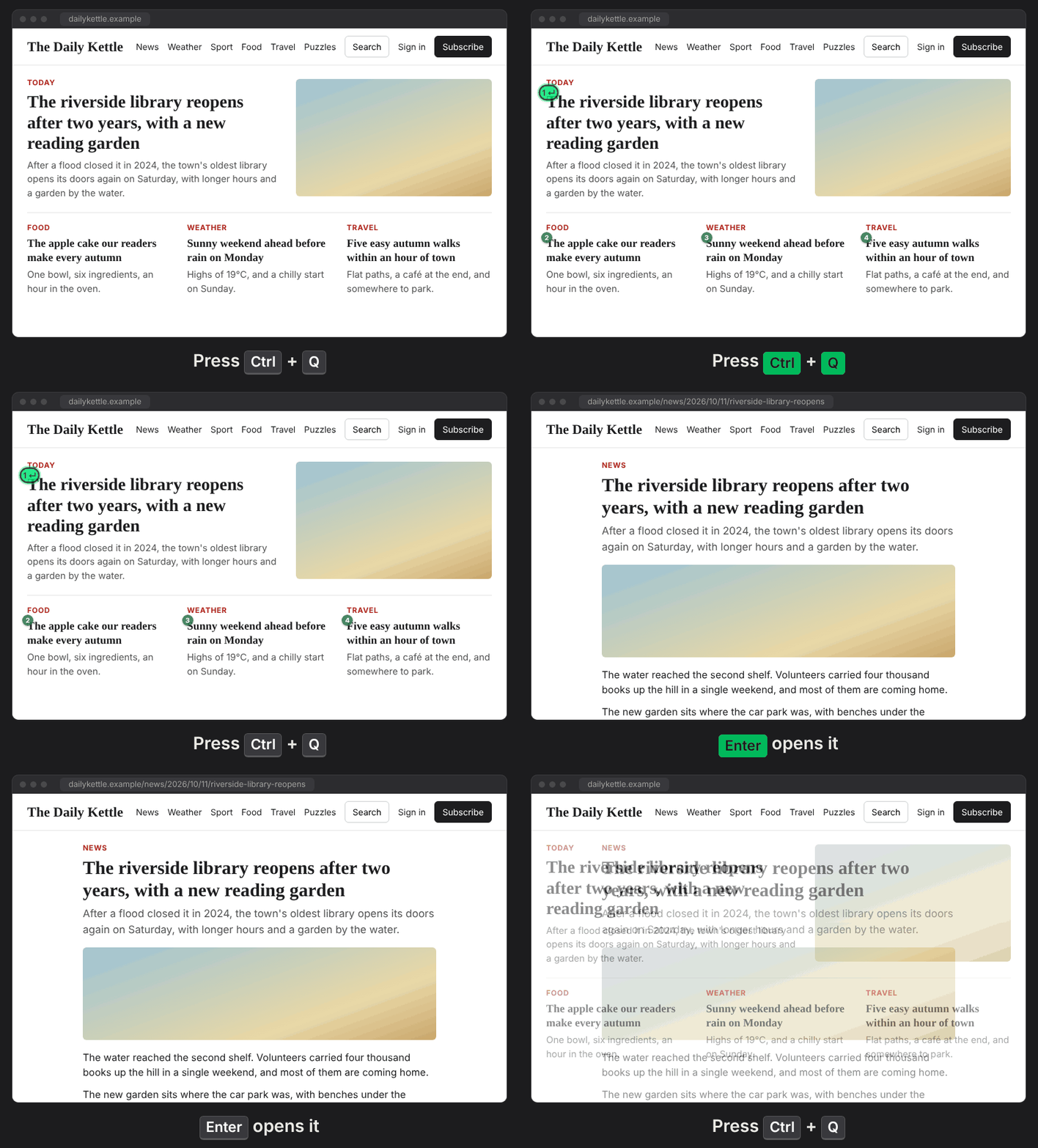
Smart Tab. Pressing Ctrl+. will highlight the control/field that the ranker assumes you want, based on the current page, focused elements, etc. Enter uses it.
Mom can we have
tab?
We have
tabat home.
The ranker is lean: Just 18KB, LightGBM (2016) trees running in-browser CPU-only in about 2ms. No network requests, nothing leaves the browser (privacy).
- The first Ctrl+. will highlight the control (its badge reads Enter 1↘), as well as up to 3 other picks with small numbered badges, each with an arrow to its control: fewer when jab isn’t sure of them, and the page’s search box among them when they are all list items or deep links, as a way on to anything else. Nothing is focused yet, so nothing pops open.
- Enter: uses the highlighted control. A button is pressed, a link followed, a field focused (a date picker opens). Or just type: a highlighted text field gets the focus and what you type.
- Ctrl+. again: the focus moves to the next pick.
Anything else you do (Esc, clicking, another key) ends it, and the next Ctrl+. will be a new session.
Another shortcut: click jab’s button in the toolbar.
Open source (MIT): github.com/netanel-haber/jab